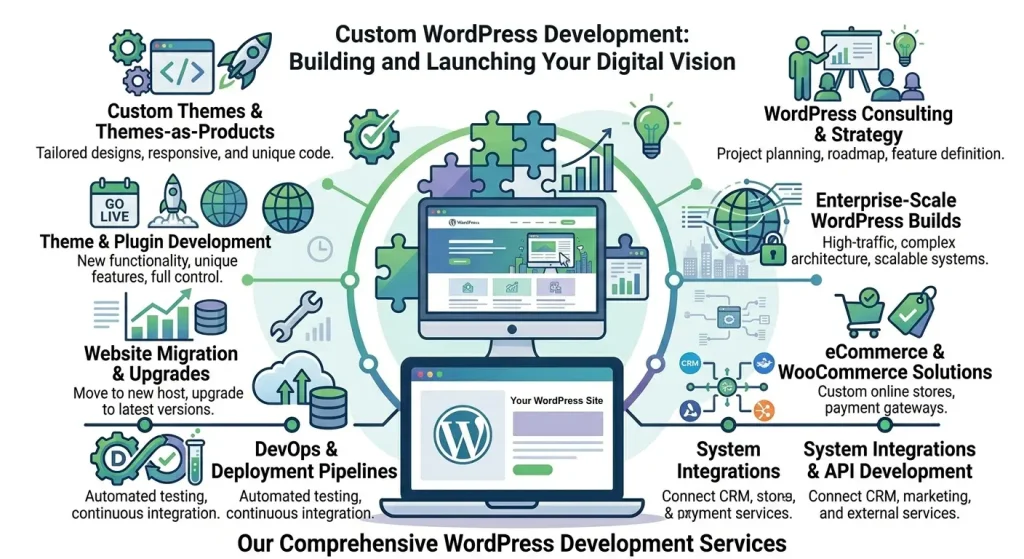


You need something built on WordPress and you are not sure where to start, what it will cost, or what a developer will actually do for you. This guide breaks down exactly what WordPress development services include, what separates good providers from bad ones, and how to structure your engagement so you get what you paid for.
What Are WordPress Development Services?
WordPress development services cover any technical work done to build, customize, or extend a WordPress website beyond what you can do with off-the-shelf themes and plugins. The term is broad by design, because the scope of what developers do varies enormously by project.
At one end, that is installing a theme and configuring a contact form. At the other, it is architecting a multi-vendor LMS platform with custom API integrations, tiered membership access, and automated billing. Most real client projects land somewhere in between.
What WordPress Development Services Include
Custom Theme Development
A custom WordPress theme translates your design into a working site. This includes converting a Figma or Adobe XD design to pixel-perfect WordPress templates, building responsive layouts, ensuring cross-browser compatibility, and optimizing for Core Web Vitals. Most agencies today build on top of frameworks like Elementor Pro or custom block-based themes rather than building from a blank stylesheet, which reduces cost without compromising flexibility.
Plugin Development and Customization
Most WordPress customization happens at the plugin level. This includes:
- Writing custom plugins to add functionality that does not exist in the ecosystem
- Modifying existing plugin behavior with hooks, filters, and child plugins
- Resolving conflicts between plugins that do not work well together
- Extending plugins like WooCommerce, MemberPress, or LearnDash with custom fields, flows, or logic
Membership and LMS Development
Building membership sites and online course platforms is a specialized discipline within WordPress development. It requires deep knowledge of plugins like MemberPress, Paid Memberships Pro, WooCommerce Subscriptions, LearnDash, TutorLMS, LifterLMS, and BuddyBoss, and more importantly, how they interact with each other.
Common work in this area includes:
- Setting up tiered membership levels with content dripping and access rules
- Building course structures with quizzes, certificates, and progress tracking
- Integrating payment gateways (Stripe, PayPal) with recurring billing
- Connecting membership plugins to CRM tools like FluentCRM or HubSpot
- Building BuddyBoss community features alongside LMS courses
TechCreative specializes in this exact stack. We have built and maintained platforms with 80+ active plugins running without conflicts.
WooCommerce Development
WooCommerce powers over 25% of all online stores. WordPress development services for WooCommerce projects typically include custom product types, checkout flow modifications, payment gateway integrations, subscription billing setup, and custom reporting. For complex stores, developers also build wholesale pricing systems, B2B portals, and multi-currency setups.
API Integrations
WordPress rarely lives in isolation. Development work often involves connecting it to external systems: CRMs, email marketing platforms, booking tools, payment processors, analytics services, Zapier or Make webhooks, and custom REST APIs. This is some of the most valuable work a developer can do because it automates workflows and eliminates manual data entry.
Performance Optimization
Slow WordPress sites lose rankings and revenue. Performance optimization services include server-level caching (Redis, Varnish), image compression and lazy loading, database query optimization, removing render-blocking scripts, and configuring CDN delivery. For membership and LMS sites, caching logged-in users correctly without serving stale content is a particularly complex problem most generic developers get wrong.
Security Hardening
WordPress security work includes configuring firewalls and rate limiting, disabling unnecessary endpoints (XML-RPC, REST API exposure), setting proper file permissions, implementing two-factor authentication, and conducting vulnerability audits. For sites handling payments or personal data, this is not optional.
Migrations and Upgrades
Moving a WordPress site from one host to another, upgrading PHP versions, switching themes, or migrating from a page builder to blocks are all common development tasks that look simple and routinely go wrong without the right expertise. A proper migration includes a full backup, staging environment testing, DNS cutover planning, and post-migration validation.
How WordPress Development Services Are Priced
Pricing structures vary significantly:
| Pricing Model | Typical Range | Best For |
|---|---|---|
| Hourly rate | $75 to $150/hr | Ongoing tasks, fixes, small features |
| Project-based | $2,000 to $50,000+ | Full site builds, major features |
| Retainer | $250 to $1,000+/mo | Ongoing development with predictable scope |
At TechCreative, we offer WordPress developer hours at $95/hr, with bundle discounts for larger commitments: 5 hours for $450 (saving 5%) and 10 hours for $850 (saving 11%). Hours never expire, so you can bank them and use them whenever a need arises.
For clients on a Pro Care Plan, one developer hour is included every month plus a 15% discount on additional hours.
What to Expect When Working With a WordPress Development Agency
Discovery and Scoping
Any serious engagement starts with a discovery phase. You describe what you need; the developer asks clarifying questions and produces a written scope of work or estimate. Vague briefs produce vague results. The more specific you can be about functionality, integrations, and success criteria, the more accurate the estimate and the smoother the project.
Development on Staging
All development should happen on a staging environment, not your live site. A staging site is an identical copy of your production site where changes can be built, tested, and reviewed without risking downtime or data loss. Once approved, changes are deployed to live.
Testing and Handoff
Before delivery, the developer should test across browsers and devices, verify that existing functionality was not broken, and document what was built. You should receive a summary of changes and, for complex work, brief documentation on how to maintain or use what was built.
Ongoing Relationship
The best WordPress developers become long-term partners, not one-off contractors. They know your site, your stack, and your goals. Pairing development hours with a WordPress maintenance plan means the same team that updates your plugins is also available to build new features when you need them.
How to Choose a WordPress Development Company
- Look at their portfolio – Have they built sites similar to what you need? Membership sites, LMS platforms, and WooCommerce stores each require different expertise.
- Ask about their process – Do they use staging environments? How do they handle scope creep? What does their handoff process look like?
- Understand their plugin depth – A developer who has never touched LearnDash or BuddyBoss should not be your first call for an LMS project. Ask specifically about experience with the plugins your site uses.
- Verify availability – Hourly developers and small agencies often have queues. If you need something fast, confirm turnaround times before engaging.
- Check communication style – You should get clear, jargon-free explanations. If you cannot understand their estimate or their questions, that is a red flag.
TechCreative WordPress Development Services
TechCreative is a WordPress agency focused on membership sites, LMS platforms, and community-driven WordPress builds. Our development work covers:
- MemberPress, Paid Memberships Pro, and WooCommerce Subscriptions setup and customization
- LearnDash, TutorLMS, and LifterLMS course builds
- BuddyBoss community platform development
- API integrations with CRMs, payment processors, and automation tools
- Performance optimization for high-traffic membership sites
- Plugin conflict resolution and custom plugin development
You can engage us by the hour, in bundles, or as part of a care plan. See our portfolio for examples of what we have built, and browse our store to get started.
Frequently Asked Questions
What does a WordPress developer do?
A WordPress developer builds, customizes, and extends WordPress websites beyond what is possible with standard themes and plugins. This includes custom theme and plugin development, API integrations, performance optimization, security hardening, and complex functionality like membership systems or e-commerce workflows.
How much do WordPress development services cost?
WordPress developers typically charge $75 to $150 per hour. Project-based work ranges from $2,000 for a small feature build to $50,000 or more for a full custom platform. TechCreative charges $95/hr with bundle pricing available (5 hours for $450, 10 hours for $850).
What is a custom WordPress development company?
A custom WordPress development company builds bespoke functionality tailored to your specific requirements rather than relying on off-the-shelf solutions. They write custom code (plugins, themes, integrations) to solve problems that existing WordPress plugins cannot address out of the box.
How long does WordPress development take?
Timeline depends entirely on scope. A small customization or bug fix can take one to two hours. A new feature or integration typically takes one to three days of development time. A full membership site or LMS platform build can take four to twelve weeks depending on complexity and revision cycles.
Can I hire a WordPress developer by the hour?
Yes. Hourly WordPress development is ideal for ongoing maintenance tasks, small feature requests, troubleshooting, and consultations. TechCreative offers developer hours at $95/hr with no minimum commitment and hours that never expire.