

Comparison · Updated August 2026
The Best WordPress Chatbot Plugin in 2026: 5 Compared, Honestly
By Hera, TechCreative · 29 August 2026 · 11 min read
Method: pricing, plan limits and free-tier allowances were read from each vendor’s own pricing page on 29 August 2026. We did not run hands-on trials of the competing products, and we build one of the five — disclosed below.
Method: pricing, plan limits and free-tier allowances were read from each vendor’s own pricing page on 29 August 2026. We did not run hands-on trials of the competing products, and we build one of the five — disclosed below.
Picking the best WordPress chatbot plugin comes down to one question almost nobody asks first: where does the answer come from? A chatbot that invents your refund policy is worse than no chatbot at all. This compares five options people actually shortlist — WP Support Agent, AI Engine, Jotform AI Agents, Tidio and Chatbase — on grounding, real pricing and what happens when traffic grows.
Disclosure: WP Support Agent is our own plugin. We have tried to keep this fair, priced every competitor from their own pricing page rather than from memory, and included a section on when not to pick ours. Judge it accordingly.
In This Post
The Short Answer
Best overall for most WordPress sites: WP Support Agent — it answers from your own content and you bring your own AI key, so there is no per-conversation meter.
Best free chatbot for WordPress: AI Engine, if you want the largest install base and a general AI toolkit rather than a support bot.
Best if you are not really a WordPress shop: Jotform AI Agents or Tidio — hosted, polished, and priced per conversation.
Method
How We Compared Them
We judged the best WordPress chatbot plugin on five criteria, in the order they tend to matter once a chatbot is actually live on a site rather than being demoed.
Grounding
Does it answer from your content, and does it decline when it cannot? This is the difference between a support tool and a liability.
Cost model
Per conversation, per message credit, or bring your own API key. The model matters far more than the headline price.
Data ownership
Do transcripts live in your database or on someone else’s server, and are visitor IPs stored?
WordPress fit
Does it understand custom post types, WooCommerce products and page builder content, or is it a generic script in a box?
What happens at scale
The plan you start on is rarely the plan you stay on. We looked at what the second and third tier cost.
Prices checked
Every figure below came off the vendor’s own pricing page on 29 August 2026. Vendors change pricing; check before you buy.
The Shortlist
The Five Best WordPress Chatbot Plugins, Ranked

01
Free · Pro $49 one-time, one site
WP Support Agent
Best WordPress chatbot plugin for sites that want grounded answers without a conversation meter.
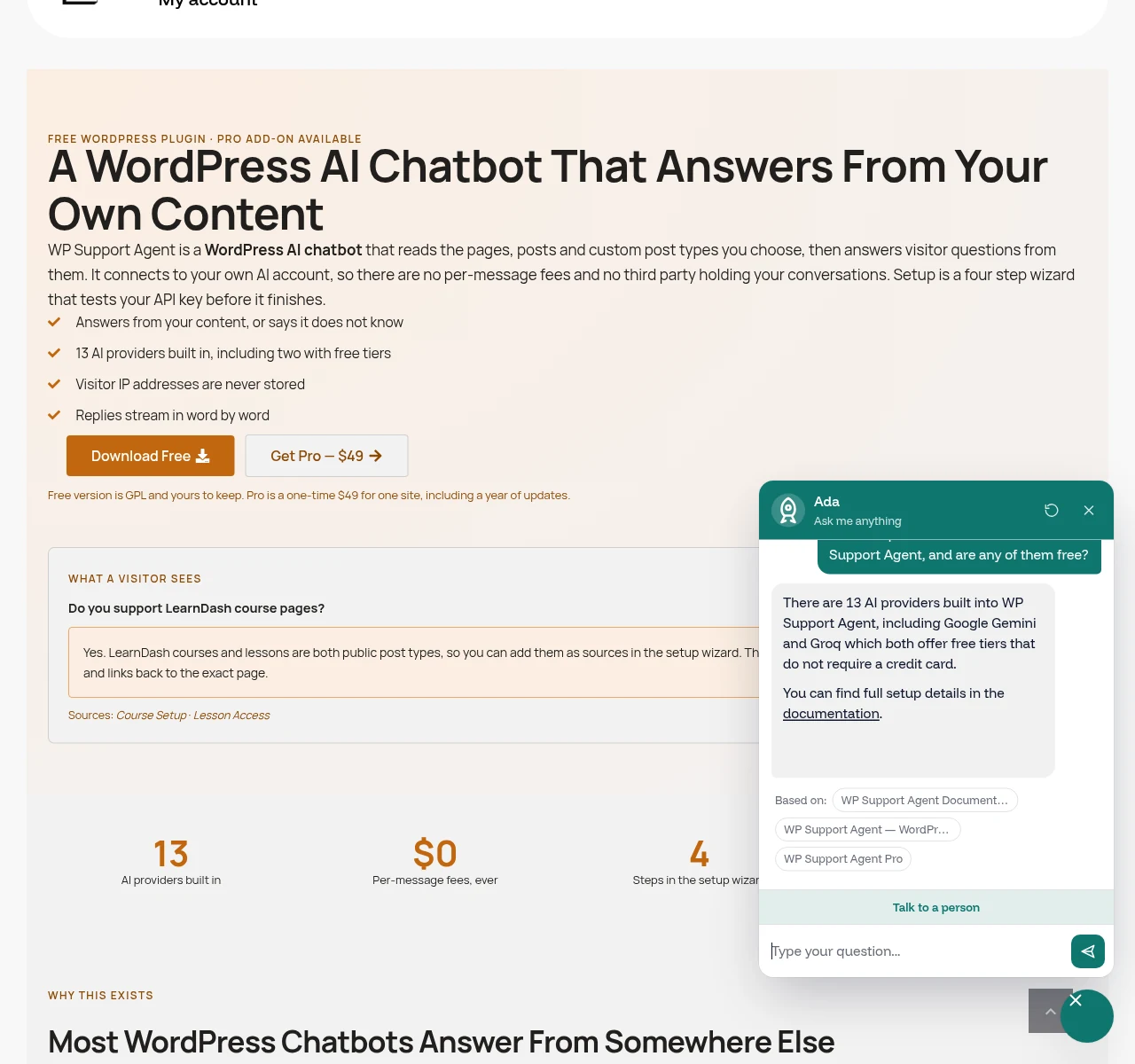
Indexes the post types you choose — pages, posts, courses, products, any custom type — into a searchable table and retrieves the relevant passages before the model writes anything. It cites the pages it used and declines what your content does not cover. You connect your own AI account from 13 built-in options, two of which (Google Gemini and Groq) have free tiers, so there is no per-message fee to us. Transcripts stay in your own database and visitor IPs are hashed rather than stored.
Strengths
- Answers from your content, with citations
- Bring your own key — no per-chat fee
- Daily spend cap and per-visitor rate limits
- Reads Elementor and Bricks content properly
- Data never leaves your server except to your AI provider
Trade-offs
- Brand new, so no long track record
- You have to get an API key yourself
- Free version carries an attribution badge
- No built-in live chat handover to a human agent queue
02
Free · Pro from $59/year
AI Engine (Meow Apps)
The safest free pick, and a general AI toolkit rather than a support specialist.
With over 100,000 active installs and a 4.9 rating from more than 850 reviews on WordPress.org, AI Engine is the most established option here. It is genuinely a toolkit: chatbots, content generation, image generation, embeddings and an MCP server, connected to OpenAI, Anthropic, Google or Hugging Face with your own key. If you want one plugin covering several AI jobs, this is it. The trade-off is focus — setting up a well-grounded support bot means configuring embeddings and a vector store yourself rather than ticking post types in a wizard.
Strengths
- Huge install base and active development
- Bring your own key, so no per-chat fee
- Covers far more than chat
- Genuinely capable free tier
Trade-offs
- Support chat is one feature among many
- Grounding needs manual embeddings setup
- More configuration surface than most owners want
- Pro is an annual subscription, not one-time
03
Free 100 chats/mo · $34–$99/mo
Jotform AI Agents
Polished and quick to launch, but priced per conversation and not WordPress aware.
Jotform’s AI chatbot is a hosted agent you embed on your site. The builder is genuinely good and it inherits Jotform’s form handling, which matters if capturing structured leads is the real goal. Pricing is per monthly conversation: the free Starter tier gives 100, Bronze is $34/month for 1,000, Silver $39/month for 2,500 and Gold $99/month for 10,000, all on annual billing. It has no concept of a WordPress post type — you feed it documents and URLs rather than pointing it at your content.
Strengths
- Very polished agent builder
- Strong form and lead capture heritage
- Free tier is usable for a small site
- No server requirements at all
Trade-offs
- Priced per conversation, so success costs more
- No WordPress content awareness
- Transcripts live on Jotform's servers
- Re-syncing content is a manual job
04
Free 50 chats · from $24.17/mo
Tidio (Lyro AI)
The right answer if you want live chat with humans first and AI second.
Tidio is a live chat product that added an AI agent called Lyro. If you have people who will actually staff a chat queue, that combination is genuinely strong and nothing else here matches its inbox. Watch the metering: the free plan includes 50 billable conversations and 50 Lyro conversations that are one-time rather than monthly. Starter is $24.17/month for 100 billable conversations plus 50 Lyro, Growth starts at $49.17/month for up to 2,000, and Plus starts at $300/month plus usage.
Strengths
- Best human live chat of the group
- Mature, well-supported product
- Good mobile apps for agents
- Visitor tracking and triggers
Trade-offs
- Two separate meters to watch
- Free Lyro allowance does not renew
- Costs climb steeply with volume
- AI grounding is document based, not WordPress based
05
Free 50 credits · $40–$500/mo
Chatbase
Capable and developer friendly, and by far the most expensive way to answer a lot of questions.
Chatbase trains an agent on documents, URLs or plain text and gives you a good API plus analytics. It is a reasonable choice if the chatbot has to live across several properties, not only WordPress. The pricing is where it falls down for a typical site: Free gives 50 message credits a month, Hobby is $40/month for 700, Standard $150/month for 4,000 and Pro $500/month for 15,000. Extra credits run $40 per 1,000, an additional agent is $25/month, and removing Chatbase branding is $99/month on its own.
Strengths
- Clean, capable agent builder
- Good API and analytics
- Works across multiple sites and channels
- Strong enterprise controls
Trade-offs
- Message credits are consumed quickly
- Branding removal costs $99/month
- No WordPress content integration
- Data sits with a third party
The Part That Bites
What They Cost at 1,000 Conversations a Month
A thousand chats a month is a modest support load for a busy WooCommerce or course site. This is where the pricing model matters more than the sticker price.
WP Support Agent
$49 once, plus your AI provider’s usage. On a free Gemini or Groq tier that can be $0/month.
AI Engine
$59/year for Pro, plus your own API usage. Also effectively $0 on a free provider tier.
Jotform AI Agents
$34/month on Bronze, which covers exactly 1,000 conversations. Step over and you are on Silver.
Tidio
Growth territory, from $49.17/month, with Lyro AI conversations metered on top of billable chats.
Chatbase
Standard at $150/month covers 4,000 credits; Hobby’s 700 does not reach 1,000. Add $99/month to drop the branding.
The pattern
Hosted tools charge for your success. Bring-your-own-key tools charge once and let you shop for tokens.
None of this makes the hosted tools bad. It makes them a different purchase: you are buying somebody else running the infrastructure, and that is worth real money if you do not want to hold an API key.
Head to Head
WP Support Agent vs the Jotform AI Chatbot
Jotform is the comparison people ask for most often, so it is worth being specific. These two are not really competing on features — they are competing on where your content and your conversations live.
Where answers come from
WP Support Agent points at your post types. Publish a new lesson or product and it is indexed automatically — nothing to re-upload.
Jotform takes documents and URLs you supply. Your site changing does not change the agent until you re-sync it by hand.
Where the data lives
WP Support Agent writes transcripts to your own database, hashes visitor IPs rather than storing them, and auto-deletes after a window you set.
Jotform holds conversations on its infrastructure. Fine for many sites, a blocker for some regulated ones.
How it scales
WP Support Agent costs the same at 100 or 10,000 chats. Your AI provider’s bill moves; ours does not exist.
Jotform moves you up a tier: 100 free, then 1,000 at $34/month, 2,500 at $39, 10,000 at $99.
Who should pick which
Pick Jotform if forms and lead capture are the real job, you have no interest in API keys, and your content rarely changes.
Pick WP Support Agent if the questions are about your site’s own content, and you would rather the answers stay tied to it.
Our Take
When Not to Pick Ours
Three situations where one of the others is the better buy, and we would say so on a call.
You want humans in the loop today. If your plan is a real person answering chats during office hours with AI covering the rest, Tidio is built for that and we are not. Our Pro handoff emails you a transcript; it is not an agent inbox.
You will not touch an API key. The wizard makes it about as painless as it gets, but it is still a step. If that is a hard no, a hosted tool where billing and keys are somebody else’s problem is genuinely the right answer.
The chatbot is not really for WordPress. If it needs to run on a Shopify store and an app as well as your site, Chatbase’s multi-channel story beats a WordPress plugin, whatever it costs.
One honest opinion
Most chatbot buying decisions are made on the builder demo, and most chatbot regret is about the bill twelve months later. Whichever you pick, work out what tier you will be on at three times your current traffic before you commit — that number, not the free tier, is the price of the product.
The second most common regret is a bot that confidently answered a question your site never actually answered. Ask any tool you are trialling something your content does not cover, and see whether it says so.

Questions
Frequently Asked Questions
For most WordPress sites, the best chatbot plugin is one that answers from your own content and does not charge per conversation. On that basis we would pick WP Support Agent, which is ours, or AI Engine if you want the largest install base and a broader AI toolkit. If you want a hosted product and do not mind per-chat pricing, Jotform AI Agents and Tidio are both good.
AI Engine has the most capable genuinely free tier and over 100,000 active installs. WP Support Agent’s free version is also complete rather than a trial — all 13 providers, the knowledge base and the conversation log are included, with an attribution badge in the panel. Both need you to supply an AI key, and Google Gemini and Groq both have free tiers with no credit card.
Not necessarily an OpenAI one. Bring-your-own-key plugins accept many providers: WP Support Agent ships with 13 presets including Gemini, Groq, Anthropic, Mistral, DeepSeek and local models through Ollama. Hosted tools like Jotform, Tidio and Chatbase include the AI in their subscription, so you never see a key at all.
At around 1,000 conversations a month, expect roughly $34/month for Jotform Bronze, from $49.17/month for Tidio Growth, or $150/month for Chatbase Standard. A bring-your-own-key plugin costs its licence plus provider usage, which on a free Gemini or Groq tier can be nothing. Prices were checked on 29 August 2026.
Only if it understands WordPress post types. WP Support Agent lists every public post type in its setup wizard, so products, courses, lessons and events can all be indexed. Hosted tools generally cannot do this — you export or link content to them, and re-sync manually when it changes.
It can, and that is the main risk. The protection is grounding: retrieving passages from your real content and instructing the model to decline anything they do not cover. Ask any tool you are trialling a question your site does not answer. If it invents something plausible rather than saying it does not know, do not put it in front of customers.
It can be, if the plugin loads its assets everywhere. Look for one that only enqueues on pages where the chat appears and does not run continuous animation. Also check it purges your page cache when settings change, or your configuration updates will appear to do nothing on a cached site.
Switching is easier with a plugin that indexes your live content, because there is nothing to migrate — you point the new tool at the same post types. Hosted tools are stickier: your transcripts, and often your training documents, live on their servers and generally do not export into a competitor.
Conclusion
Pick on Grounding First, Price Second
Every best WordPress chatbot plugin list ends the same way, so here is ours plainly: every tool here will hold a conversation, but the ones worth running answer from your content and admit when they cannot, and the ones worth keeping do not charge you more every time they work. Try our free version for a fortnight and read the conversation log; it is the fastest way to find out what your visitors actually ask.
More detail on the plugin: the WP Support Agent overview, the full documentation, or the rest of our WordPress plugins and plans. Running a busy site? Our managed WordPress hosting keeps the pages the chatbot cites fast.