
Skip to main content Scroll Top
Free WordPress Plugin · Pro Add-on Available

The LearnDash AI Mentor That Notices When a Learner Goes Quiet

LearnMentor AI is a WordPress LMS plugin that reads your courses and mentors the people taking them. It answers questions from your own lessons, sets a goal with each learner, and emails the ones drifting away — before they quietly cancel. Works with LearnDash, Tutor LMS, LifterLMS and MemberPress Courses, and every learner record stays in your database.
The free plugin is GPL and yours to keep. Pro starts at $99 a year for up to 100 active learners — and an active learner means one the mentor actually worked with, not one who signed up in 2023 and never came back.
LearnDash AI mentor answering a learner question with citations linking to the exact lessons in the course
4
LMS platforms, one adapter each
100%
Of learner data stays in your database
9
Reasons it reaches out, not just one
$99
Pro, per year, to start
Why a LearnDash AI Mentor Exists

Most Courses Do Not Fail in the Lesson. They Fail Between Them.

Your completion rate is not really a mystery. Somebody watches lesson three on a Tuesday, fully intends to come back on Thursday, and then Thursday happens to them. Nobody notices. Six weeks later they cancel and the exit survey says “no time”, which is the politest lie in online education.
A support chatbot will not fix that, because a support chatbot waits to be asked. It sits in the corner being enormously helpful to the two people who open it, while the learner quietly drifting away never types a single word.
LearnMentor AI does not wait. It knows who enrolled, what they finished, when they last showed up and what they said they wanted to get out of the course. When somebody stops, it notices — and it says something. That is the difference between an LMS chatbot and a LearnDash AI mentor that actually keeps track of people.
If you are still choosing a platform, our LearnDash developer team builds and fixes these sites for a living — the mentor came out of that work.
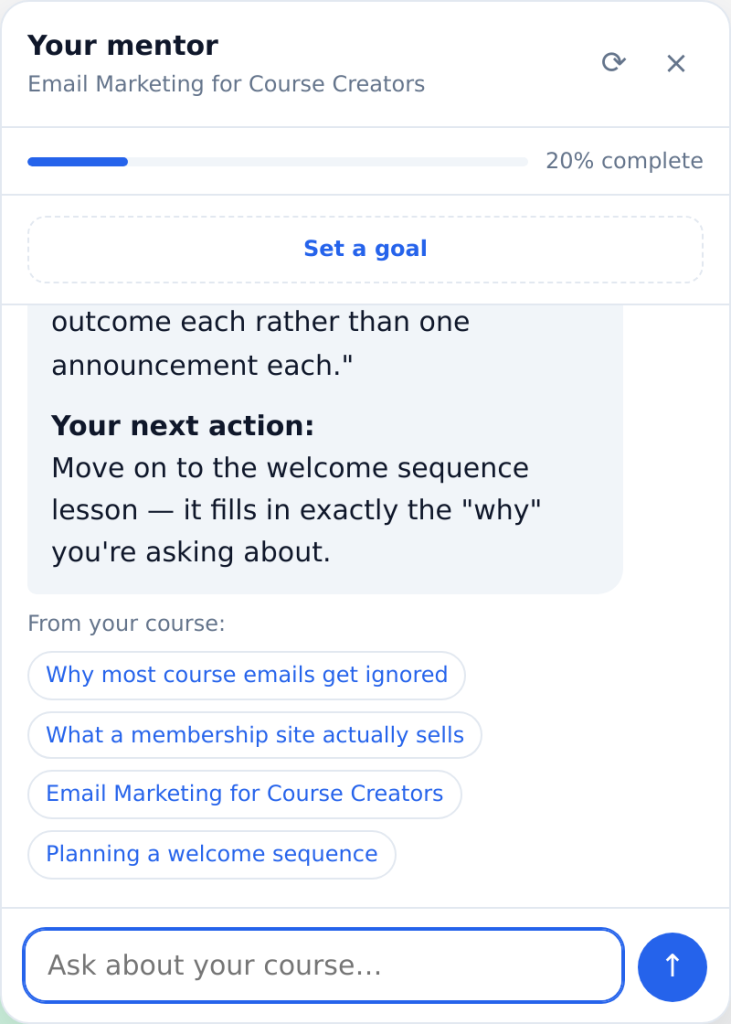
LearnDash lesson page with the LearnMentor AI mentor open, showing course progress and an answer citing the next lesson
The mentor on a real LearnDash lesson: course progress at the top, the goal prompt underneath, and answers that link back to the lessons they came from.
How It Works

Point It at Your LMS. It Works Out the Rest.

01

It finds your LMS on its own

LearnDash, Tutor LMS, LifterLMS or MemberPress Courses. It detects what you run and reads the structure through that platform’s own API. No mapping screens, no CSV, no rebuilding your curriculum in somebody else’s dashboard.
02

Choose what it may read

Tick the courses to index. It reads lessons and topics in the background and only ever answers from material the learner is actually enrolled in. Nobody can ask their way into a course they have not paid for.
03

Connect an AI account

Your key, your account, your rates. Anthropic, OpenAI, or a model running on your own hardware if you would rather nothing left the building at all. Keys are encrypted before they touch the database.
04

Let it meet your learners

It greets people by name, offers to set a goal, and starts keeping track. You get an Insights screen that tells you who is slipping while there is still time to do something about it.
Course content indexing settings for the AI mentor across LearnDash, Tutor LMS, LifterLMS and MemberPress Courses
Choosing which courses the mentor may read. Every setting on this screen, plus the REST routes and developer hooks, is documented in the LearnMentor AI documentation.
Every Major WordPress LMS

One Mentor, Four Platforms

Nothing above the adapter layer knows which LMS you are running. That sounds like an implementation detail until you realise what it buys you: adding support for the next platform cannot break the one you are already on. Each adapter passes the same conformance suite before it ships.

LearnDash

Tutor LMS and LifterLMS

MemberPress Courses

Running something else? The adapter interface is public and documented, so Sensei or LearnPress can be added without touching a line of the engine. If you are weighing platforms in the first place, we have written up the membership plugins worth considering and we build on all of them.
For Course Creators

Find Out Who Is Slipping While You Can Still Do Something About It

Every question a learner asks is a small piece of feedback about your course. The mentor keeps the ones it could not answer, because each of those is a lesson somebody wanted and nobody has written yet. It is the most useful content brief you will ever get, and it writes itself.
It is also a straightforward way to review student progress in LearnDash without exporting a spreadsheet: who has gone quiet, how far they got, and whether the last reminder actually brought them back.
LearnDash review student progress dashboard showing at-risk learners, unanswered questions and course content gaps
The Insights screen on a real install. Those unanswered questions are genuine gaps a learner hit — not sample data.

What it shows you

And the awkward question

Yes, it will happily report that your reminders are not working. We thought about hiding that number and decided you would rather know.
Free and Pro

Start Free. Pay When It Is Doing Real Work.

The free plugin is a working mentor, not a trial with the good parts removed. It answers from your courses, sets one goal per learner and sends the two reminders that matter most. Pro is for when you can see it moving your completion rate and want the rest.
Free
$0
Forever. GPL licensed.
Includes a small “powered by” line in the mentor panel. It is opt-in, because the plugin directory does not allow forcing it.
Pro · priced by active learner
From $99
Per year, one site, updates included.
Over your seat count? You get a banner in wp-admin and an email. The mentor keeps working. Cutting a paying academy’s learners off mid-course to enforce a billing limit would be a strange way to say thank you.
Privacy and GDPR

The Learner Data Stays in Your Database

Everything the mentor knows about a learner — goals, progress, remembered facts, every conversation — sits in your own WordPress database in tables the plugin owns. There is no account to create with us, nothing syncs to a service we run, and if you delete the plugin it takes all of it with it.
One thing we will not pretend about: the AI provider you connect is a third party, and the prompt goes to them. So the learner block is pseudonymous before it leaves — an internal id, never an email, never an IP address. Prefer no third party at all? Point it at Ollama or LM Studio on your own server and the claim becomes literally true.

What never leaves

Rights, wired into WordPress

GDPR privacy settings for the LearnDash AI integration keeping all learner data in your own WordPress database
The mentor recommends; it never makes a decision with legal effect, which keeps it clear of GDPR Article 22. There is also a switch that disables memory and profiling entirely, for academies teaching under-16s.
What Clients Say

The Team Behind the Mentor

LearnMentor AI is built by TechCreative, a WordPress agency that has spent years on membership and LMS builds. The reviews below are for that work. The plugin is new and nobody has reviewed it yet, so we would rather show you real quotes about the people who wrote it than invent testimonials for software.
A client on what it is actually like to work with us.
Rated 5 out of 5
TechCreative has been fantastic in bringing my LMS vision to life. His knowledge, problem solving and friendly manner made him great to work with. Highly recommend.
Google review · 5.0
Rated 5 out of 5
Working with TechCreative has been fantastic. He is knowledgeable and a great solution finder, knowing how to bring my ideas to life in the most efficient way.
Google review · 5.0
Questions

Things People Ask Before They Install It

Yes. LearnDash is a first-class adapter, alongside Tutor LMS, LifterLMS and MemberPress Courses. The mentor reads your courses, lessons and topics through LearnDash’s own functions, so progress and enrolment stay exactly as LearnDash reports them — we do not keep a second copy that can drift. Running more than one platform at the same time is a Pro feature.

No, and the difference is who starts the conversation. A chatbot answers when it is asked. LearnMentor AI also sets a goal with each learner, tracks the pace they are actually keeping against it, and emails somebody who has gone quiet for a week. Because it knows what they finished and what they said they wanted, “what should I do next” has a real answer instead of a cheerful guess.

Yours. Connect an Anthropic or OpenAI key and you pay them directly at their rates — we never sit in the middle and there are no per-message fees from us. You can also point it at any OpenAI- or Anthropic-compatible endpoint, including Ollama or LM Studio on your own hardware, in which case nothing leaves your server at all.

No. Retrieval is scoped to the courses that learner can actually access, and it is checked on every question rather than cached when they log in. Somebody on your free tier cannot ask their way into paid material. This is treated as a security boundary, not a nicety, and it has its own test suite.

As few as you allow. There is a weekly cap per learner, quiet hours in their own timezone, a minimum gap between messages, one-click unsubscribe with the proper headers, and a hard stop after a set number of ignored nudges. All of that is in the free version, not held back for Pro — free sites sending automated mail under this plugin’s name would be everybody’s deliverability problem, including ours.

One the mentor actually did something for in the trailing 30 days: answered a question, sent a reminder, or tracked a goal. Somebody who enrolled in 2023 and never came back does not count against your plan. If you go over, you get a banner in wp-admin and an email — the mentor keeps working.

A floating launcher on course and lesson pages by default. If you want it somewhere specific, drop the [learnmentor] shortcode into any page or template, and [lmai_calendar] renders the study calendar for the logged-in learner on Pro.

Deleting the plugin drops its tables, its settings and your encrypted provider key. Nothing is kept anywhere else, because there is nowhere else — that is the whole point of it running in your database. Deactivating, by contrast, leaves your data alone and only stops the reminders.

Get Started

Your Completion Rate Is a Number You Can Actually Change

Install the free plugin, point it at your courses, and see what happens to the learners who would otherwise have quietly drifted off. If nothing moves, you have lost an afternoon. If it does move, you will know precisely which learners came back, because the Insights screen keeps score either way.
Built and supported in-house by TechCreative. We also build LMS and membership sites for a living — if you would rather we set the whole thing up, book a call or read what our LearnDash developer work involves. Already running a site that needs moving first? That is what our migration service is for.